 Try Onsa
TL;DR: Most outbound sales teams waste 70% of their time on research and manual tasks, not selling. This guide walks you through 6 steps to automate outbound sales with AI - from defining your ICP to executing multi-channel sequences - so you can 3x your meetings booked while cutting cost-per-meeting by 60-70%. AI outbound sales isn’t about sending more emails; it’s about sending the right message to the right person at the right time.
If you’re running outbound sales in 2026 and still doing it the way you did in 2022, you’re leaving money on the table. A lot of money.
Here’s the reality: the average cold email reply rate has dropped to 3.1%. SDRs make 94 activities per day - 36 calls, 33 emails, 15 voicemails, 7 social touches - yet average quality conversations have fallen to 3.6 per day, down 55% since 2014. It now takes an average of 18 touches to book a single meeting, up from 5-7 just a few years ago.
Meanwhile, your SDRs are spending only 30% of their time actually selling. The other 70%? Research, data entry, CRM updates, list building, and writing emails that nobody reads. For an SDR earning $60,000 a year, that means roughly $42,000 goes to tasks a machine can do better, faster, and at a fraction of the cost.
I’m Bayram, founder of Onsa, and I’ve spent the past two years building AI systems that automate the grunt work of outbound sales. Not to replace salespeople - but to turn them into closers instead of researchers. In this guide, I’ll walk you through exactly how to automate outbound sales with AI, step by step, based on what actually works in 2026.
The companies that figure this out are booking 2-3x more meetings at a quarter of the cost. The ones that don’t are burning cash on SDR teams with declining output. Let’s make sure you’re in the first camp.
Before we dive into the steps, let’s be honest about what outbound looks like for most teams today.
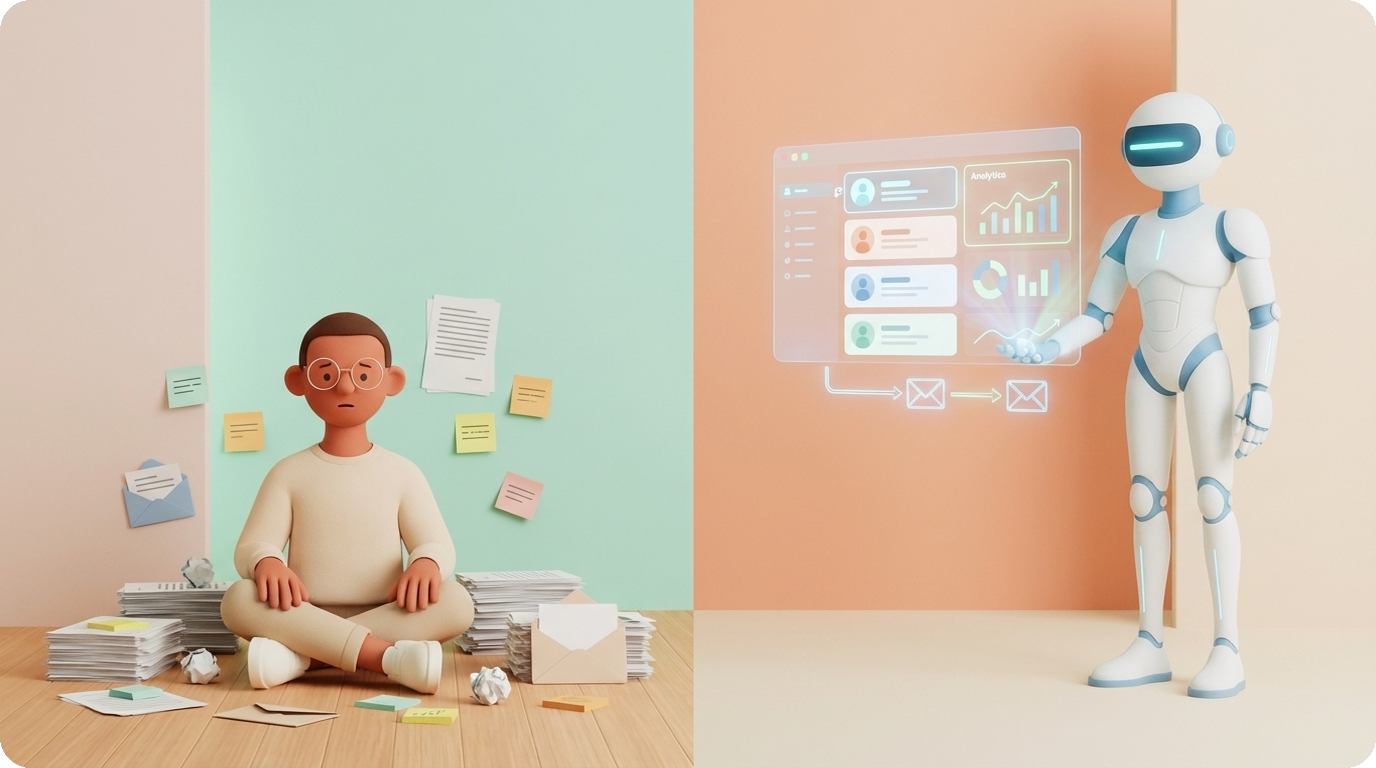
The traditional outbound playbook hasn’t fundamentally changed in 15 years:
1. Buy a list from ZoomInfo or Apollo - 10,000 contacts that match broad criteria like “VP of Sales at companies with 50-500 employees”
2. Load it into a sequence tool - Outreach, Salesloft, or whatever your team uses
3. Write 3-5 generic templates - maybe swap in the first name and company name
4. Blast emails - 50-100 per day per rep, hoping for a 2-3% reply rate
5. Follow up on the few replies - most of which are “please remove me from your list”
6. Repeat - burn through the list, buy a new one, start over
The result? A cost per meeting booked of $350-600 when you factor in SDR salary, benefits, tools, management, and ramp time. And that’s before you count the reputational damage from sending thousands of irrelevant emails that tank your domain reputation.
AI-powered outbound sales flips the model:
1. AI defines your ICP - not just firmographics, but behavioral signals, technographic data, and buying intent
2. AI builds targeted lists - 500 high-fit prospects instead of 10,000 mediocre ones
3. AI researches each prospect - pulling from LinkedIn, company news, job postings, funding rounds, and tech stack data in seconds
4. AI writes personalized messages - not mail-merge personalization, but genuinely relevant messages that reference specific pain points
5. Multi-channel execution - coordinated outreach across email, LinkedIn, and phone, timed to buying signals
6. AI optimizes continuously - analyzing what works, adjusting messaging, re-scoring prospects based on engagement
The result? Reply rates of 8-12% (top performers hit 10.7%+), cost per meeting dropping 60-70%, and SDRs who spend their time having actual conversations instead of copying LinkedIn bios into spreadsheets.
Companies using AI for outbound report a 10-20% boost in sales ROI, with 56% of sales professionals now using AI daily. Those who do are twice as likely to exceed their sales targets.
Let’s break down each step.
You can’t automate what you haven’t defined. And the number one reason outbound fails - automated or not - is a weak or nonexistent Ideal Customer Profile.
I wrote a detailed guide on how to build your ICP in 15 minutes, but here’s the automation angle: AI can analyze your existing customer data to find patterns you’d miss manually.
Instead of building your ICP based on gut feel and a whiteboard session, AI can:
- Analyze your closed-won deals to find common attributes: industry, company size, tech stack, growth stage, team structure, and buying triggers
- Identify negative patterns - which prospects looked great on paper but churned within 6 months? What did they have in common?
- Score and weight attributes - maybe company size matters less than you thought, but having a specific tool in their tech stack is a near-perfect predictor
- Continuously refine - as you close more deals and lose others, the ICP updates automatically
1. Export your CRM data: closed-won, closed-lost, and active customers with their metadata
2. Use an AI tool (Clay’s AI enrichment, or your own model) to enrich each record with firmographic, technographic, and behavioral data
3. Run cluster analysis to find the attributes that correlate with conversion
4. Document your ICP with weighted scoring criteria, not just a persona slide deck
The output should be a scoring model that rates any prospect from 0-100 on how closely they match your best customers. Top performers using AI-powered ICP targeting achieve a 70-80% hit rate on prospect fit, compared to 20-30% from generic lists.
Pro tip: Your ICP isn’t static. Set it to recalibrate quarterly using your latest win/loss data. What worked six months ago may be stale today.
With a sharp ICP, the next step is building lists that actually match it. This is where most teams waste enormous time - and where automation delivers the biggest immediate ROI.
The old approach was static: filter by industry + company size + title = list. The AI approach is dynamic: layer in real-time signals that indicate a company is likely to buy right now.
The signals that matter:
- Hiring signals - A company posting 3+ SDR roles is scaling their sales team and likely needs tools. A company hiring a VP of RevOps is about to standardize their stack.
- Funding signals - Series A-C companies have budget and urgency. They need to hit growth targets to justify the raise.
- Technology signals - Using a competitor? Using a complementary tool? Just adopted a new CRM? All buying signals.
- Content signals - Prospects engaging with content about your category on LinkedIn, downloading whitepapers, or attending relevant webinars.
- Job change signals - Champions from your existing accounts who moved to new companies. They already know your product.
1. Set up monitoring - Use tools like Clay, Apollo, or Exa to track signals across your ICP companies. Build automated workflows that flag prospects when multiple signals converge.
2. Enrich automatically - For every prospect that hits your signal threshold, auto-enrich with verified email, LinkedIn profile, direct phone, reporting structure, and recent activity.
3. Score and prioritize - Not all signal combinations are equal. A Series B company that just posted 3 SDR roles and uses your competitor’s tool? That’s a 95/100. A company that just matches your firmographic criteria? That’s a 40/100. Sequence them differently.
4. Deduplicate against your CRM - This sounds obvious but it’s shocking how many teams skip it. Before any prospect enters your outbound sequence, check: are they already a customer? Already in a deal? Already been contacted in the last 90 days?
A well-configured signal-based list builder can surface 50-100 high-quality prospects per week without a human touching it. Compare that to an SDR manually researching 10-15 per day.
Here’s where the 37% of an SDR’s day that goes to research gets reclaimed.
For each prospect on your list, AI can pull together a research brief in seconds that would take a human 15-30 minutes. This is not about replacing the human judgment of “should I reach out?” - it’s about eliminating the mechanical work of gathering context.
- LinkedIn profile analysis - Role history, tenure, skills, recent posts, shared connections. Not just the headline, but the narrative: Did they just join this role? Are they building a team? Have they posted about challenges your product solves?
- Company intelligence - Recent funding, headcount trends, tech stack, key announcements, competitive positioning. What’s changing at this company that creates urgency?
- News and triggers - Press mentions, product launches, partnerships, leadership changes. What just happened that makes your outreach timely?
- Mutual context - Shared connections, shared alma maters, shared previous employers, shared interests. What gives you a warm entry point?
- Competitive landscape - What tools are they currently using? Are they locked into contracts? Are there public complaints about their current vendor?
The key is structured output. Your AI research agent should produce a consistent brief for each prospect:
Prospect: [Name], [Title] at [Company]
Fit Score: [0-100]
Key Trigger: [Why now?]
Personalization Hook: [What to reference]
Competitive Context: [Current tools/pain points]
Recommended Channel: [Email/LinkedIn/Phone]
Recommended Angle: [Problem to lead with]
Before you automate the research, I’d strongly recommend you shadow your best SDR to understand what information they actually use when crafting outreach. Most SDRs look at 20 data points but only use 3-4 in their actual messaging. Your AI research agent should focus on those high-signal data points.
Tools like Clay can chain together 10+ data sources and AI agents to produce these briefs automatically. The research that used to consume 37% of an SDR’s day now happens in the background, before they sit down in the morning.
This is the step where most teams go wrong. They use AI to write emails, and the emails sound like AI wrote them. Generic, bloated, and dripping with phrases like “I noticed that your company is doing great things in the X space.”
Real AI personalization is different. It uses the research from Step 3 to write messages that feel hand-crafted - because the information is specific, the angle is relevant, and the ask is appropriate for the relationship (which, at this point, is zero).
A high-converting cold email in 2026 has these elements:
1. A specific opener (1-2 sentences) - Reference something real: a LinkedIn post they wrote, a recent company announcement, a job posting they have open. This proves you did your homework and earns you the next sentence.
2. A relevant problem statement (1-2 sentences) - Connect that opener to a pain point. Not “companies like yours struggle with…” but “scaling from 5 to 20 SDRs usually means your cost-per-meeting doubles before it drops - is that what you’re seeing?”
3. A credibility spark (1 sentence) - Not a pitch. A proof point. “We helped [similar company] cut their cost-per-meeting from $400 to $120 while 3x-ing their pipeline.”
4. A low-friction CTA (1 sentence) - Not “let’s jump on a 30-minute call.” Instead: “Worth a 10-minute look?” or “Is this even a priority for you right now?”
Total length: 4-7 sentences. Under 120 words. Nobody reads long cold emails.
The key insight is that AI doesn’t write one template and mail-merge it. It writes a unique message for each prospect using:
- The prospect’s specific research brief (Step 3)
- Your best-performing message patterns (learned from historical reply data)
- Channel-appropriate formatting (LinkedIn messages are shorter than emails; phone scripts need different structure)
- Sequence-aware context (the third follow-up shouldn’t rehash the first email)
Hyper-personalized emails deliver 2-3x higher reply rates. The problem is that only 5% of reps personalize consistently - because manual personalization doesn’t scale. AI removes that constraint.
58% of all cold email replies come from the first message, with the remaining 42% from follow-ups. Your AI should generate a full sequence:
- Email 1: Personalized cold open (the one above)
- Email 2 (Day 3-4): New angle, same problem. Add a different proof point or insight.
- Email 3 (Day 7-8): Share relevant content - a case study, a blog post, a data point that’s genuinely useful to them.
- Email 4 (Day 14): Breakup email. “Looks like timing isn’t right - want me to follow up next quarter?”
Each follow-up should be distinct, not “just bumping this to the top of your inbox.”
Email alone is not enough. The highest-performing outbound teams in 2026 combine email, LinkedIn, and phone into coordinated sequences. The data is clear: multi-channel outreach generates 3x more replies than single-channel.
Here’s a sequence structure that works:
Day 1: LinkedIn - View their profile (creates a notification). Send a connection request with a short, relevant note.
Day 2: Email 1 - Your personalized cold email from Step 4. Don’t reference the LinkedIn touch - let them be independent channels.
Day 4: LinkedIn - If they accepted your connection, engage with one of their posts (like or comment). If not, no action.
Day 5: Email 2 - Follow-up with a new angle.
Day 7: Phone call - If you have a direct number, call with a specific reason. “Hi [Name], I sent you an email about [specific topic] - did it land?”
Day 10: LinkedIn message - If connected, send a direct message. Keep it casual and short. Reference something specific to them.
Day 14: Email 3 - Content share or case study.
Day 21: Email 4 - Breakup.
Each channel has different strengths:
- Email is scalable and asynchronous. Best for detailed messages and follow-ups.
- LinkedIn is social proof. They can see your profile, your content, your mutual connections. It builds familiarity before the pitch.
- Phone is high-impact when timed right. A 30-second call after they’ve opened your email 3 times converts at dramatically higher rates.
The automation angle: tools like Lemlist, Apollo, and Instantly can orchestrate these sequences automatically, triggering the right action on the right channel at the right time. For LinkedIn specifically, read our guide on how to find B2B leads on LinkedIn for the prospecting side.
None of this works if your emails land in spam. In 2026, email deliverability is harder than ever:
- Warm up new domains and inboxes - Don’t send 50 cold emails from a brand-new mailbox. Use tools like Instantly’s warm-up or Lemwarm to build sender reputation over 2-3 weeks.
- Authenticate everything - SPF, DKIM, DMARC must be properly configured. No exceptions.
- Watch your volume - Max 30-50 emails per inbox per day. Use multiple sending accounts and rotate them.
- Monitor bounce rates - Keep them under 3%. Verify emails before sending. Clean your lists.
- Avoid spam triggers - No tracking pixels (they hurt deliverability), no link-heavy emails, no ALL CAPS, no deceptive subject lines.
The final step is what separates teams that get results from teams that just have fancy tools. You need a measurement framework and a feedback loop.
Forget vanity metrics like “emails sent” or “activities logged.” Here are the numbers that actually predict revenue:
Metric: Reply rate. What It Tells You: Is your messaging resonating?. Benchmark (2026): 3-5% average, 8-12% for top performers.
Metric: Positive reply rate. What It Tells You: Of replies, how many are interested?. Benchmark (2026): 30-50% of total replies.
Metric: Meeting book rate. What It Tells You: Are replies converting to conversations?. Benchmark (2026): 40-60% of positive replies.
Metric: Cost per meeting. What It Tells You: Is this sustainable?. Benchmark (2026): $100-200 automated vs. $350-600 manual.
Metric: Pipeline generated. What It Tells You: Are meetings turning into real opportunities?. Benchmark (2026): Track ACV of pipeline from outbound.
Metric: Conversion to closed-won. What It Tells You: Is your ICP right?. Benchmark (2026): 15-25% of outbound pipeline.
1. Weekly review - Every week, review your top and bottom performing messages. What did the top 10% have in common? What angles bombed? Feed this back into your AI message generator.
2. ICP refinement - Monthly, analyze who’s replying positively. Do they match your ICP? If your best replies come from a segment you weren’t targeting, adjust your ICP.
3. Channel optimization - Track which channel generates the first meaningful touch. Maybe email opens the door but LinkedIn closes it. Maybe phone is useless for one segment but critical for another.
4. A/B everything - Subject lines, opening lines, CTAs, sequence timing, channel order. AI makes it easy to run 10 variants simultaneously instead of 2.
5. Disqualification speed - How quickly do you identify and remove bad-fit prospects from sequences? The faster you disqualify, the less you waste on dead ends.
If you’re also running inbound, make sure your automated inbound lead qualification feeds the same data into your ICP model. Inbound and outbound should inform each other.
You don’t need 15 tools. Here’s a practical stack mapped to each step:
Onsa - AI-powered sales agent that automates prospect research, ICP building, and personalized outreach. Onsa connects your CRM data, enrichment sources, and AI to handle the full research-to-outreach pipeline. Full disclosure: I built this, and I built it because every other tool solves one piece of the puzzle.
ZoomInfo - The 800-pound gorilla of B2B data. 70M+ direct dials, 174M+ verified emails, 500M+ professional profiles. Intent data and technographics. Excellent data quality, but expensive: starts at $14,995/year. Best for enterprise teams with budget.
Clay - The enrichment powerhouse. Connects to 150+ data providers, chains AI agents together, and builds dynamic prospect lists with signal-based scoring. Credit-based pricing starts at $134/month. Clay is the closest thing to a Swiss Army knife for outbound data ops.
LinkedIn Sales Navigator - 50+ search filters across 1B+ members. Buying intent signals, lead recommendations, saved search alerts. 50 monthly InMail credits. Essential for LinkedIn-heavy outbound. Pricing starts around $99/month.
Apollo.io - All-in-one: 275M+ contacts database, email sequences, built-in dialer, meeting scheduler, and basic CRM. Best value for teams that want one platform. Plans from $49-149/user/month.
Instantly - Specialized in email deliverability and high-volume sending. Unlimited email warm-up, campaign analytics, and B2B lead database. Best for teams focused on email-first outbound with multiple sending accounts.
Lemlist - Multi-channel sequences across email, LinkedIn, phone, and WhatsApp. Strong personalization features including dynamic images. Built-in Lemwarm for deliverability. Email Pro starts at $69/user/month.
- Bootstrapped startup (1-2 reps): Apollo (all-in-one) + Instantly (deliverability) = ~$150/month
- Growing team (3-10 reps): Clay (enrichment) + Lemlist (sequences) + Sales Navigator = ~$500-800/month
- Enterprise (10+ reps): ZoomInfo (data) + Clay (enrichment) + Outreach/Salesloft (execution) = $2,000+/month
Add Onsa at any stage to automate the research and personalization layer that sits between your data tools and your execution tools.
I’ve seen dozens of teams invest in AI outbound and get worse results than before. Here’s why:
The biggest trap: you automate everything, remove humans from the loop, and blast out thousands of AI-generated emails that are technically “personalized” but practically garbage. The AI hallucinated a company fact. It referenced a LinkedIn post from 3 years ago. It pitched a product to a company that’s already your customer.
Fix: Always have a human review step for your first 100-200 messages. Build confidence in your AI’s output quality before removing the guardrails. Then, keep a random audit process - review 10% of outgoing messages weekly.
You can write the best email in the world. If it lands in spam, it doesn’t exist. Too many teams skip the boring work of domain warm-up, authentication, and volume management because they’re excited about the AI writing part.
Fix: Budget 2-3 weeks for deliverability setup before sending a single cold email. Monitor your domain health weekly. Treat deliverability as infrastructure, not a one-time setup.
Automation amplifies whatever you feed it. If your ICP is “any company with 50+ employees,” you’ll just automate the process of annoying thousands of people who will never buy. AI can’t fix a targeting problem.
Fix: Start with Step 1. Don’t skip it. Build your ICP from data, not assumptions. Revisit it monthly.
“We sent 5,000 emails this week!” Great. How many meetings did you book? What’s the pipeline value? If your dashboard shows activity metrics but not outcome metrics, you’re optimizing for the wrong thing.
Fix: Build your reporting around the metrics table from Step 6. Activity is an input. Revenue is the output. Connect the dots.
Not all prospects deserve the same sequence. A high-fit prospect showing buying intent signals should get a premium, multi-channel sequence with phone calls. A lower-fit prospect should get a lighter touch. AI lets you tier your outreach - use that capability.
Fix: Build 2-3 sequence tiers based on prospect score. High-score prospects get the full treatment. Mid-score gets email + LinkedIn. Low-score gets a drip campaign. This maximizes your team’s time on the highest-potential prospects.
About 70-80% of the outbound workflow can be automated: list building, enrichment, research, initial message drafting, sequence execution, and basic follow-ups. The remaining 20-30% - handling replies, running discovery calls, building relationships, closing deals - requires human judgment and should stay human. The goal isn’t full automation; it’s removing the mechanical work so your team can focus on the conversations that generate revenue.
It depends entirely on execution. Bad AI outbound is worse than bad manual outbound because it scales the bad stuff. But well-implemented AI outbound actually feels more personal because it uses more data to craft relevant messages. The test: would you reply to this email if you received it? If the answer is no, your AI isn’t configured well. The top performers using AI see 8-12% reply rates - you don’t get those numbers by being spammy.
For a small team (1-3 reps), expect $200-500/month in tooling costs, plus 2-3 weeks of setup time. For a mid-market team (5-10 reps), $800-2,000/month is typical. Enterprise setups can run $5,000+/month. The ROI calculation is straightforward: if your current cost-per-meeting is $400 and automation brings it to $120, the tools pay for themselves in the first month. Most teams see positive ROI within 30-60 days of going live.
Plan for 4-6 weeks from starting setup to booking your first automated meetings. Week 1-2 is tool configuration and deliverability warm-up. Week 3-4 is launching initial sequences with human oversight. Week 5-6 is when you start seeing consistent replies and meetings. Full optimization takes 2-3 months as you refine your ICP, messaging, and sequences based on real data. Don’t judge the system by week 2.
AI can draft response suggestions for common reply types (interested, not now, wrong person, unsubscribe), but I strongly recommend keeping a human in the loop for reply handling. The moment a prospect responds is the most delicate point in the sales process. A tone-deaf AI response to a genuine objection can kill a deal instantly. Use AI to flag and categorize replies, draft suggestions, and prioritize - but let your reps handle the actual responses.
Start with three: reply rate, positive reply rate, and meetings booked per week. These tell you whether your messaging works (reply rate), whether you’re reaching the right people (positive reply rate), and whether the whole system produces revenue (meetings). Add cost-per-meeting and pipeline value once your system is running for 30+ days. Don’t try to track everything at once.
Small teams actually benefit more from automation because they have fewer people to throw at the problem. A founder or single AE who automates their outbound can match the output of a 3-4 person SDR team for a fraction of the cost. The tools have gotten affordable enough that even a bootstrapped startup can run a professional outbound operation for $200-400/month. The key is starting simple: pick one channel (email), one tool (Apollo or Instantly), and one sequence. Scale from there.
If you already have inbound demand, automate inbound first - the ROI is more immediate because you’re converting existing interest. If you don’t have consistent inbound, outbound automation is your fastest path to pipeline. Ideally, you run both: automated inbound captures demand, automated outbound creates it. And the data from both systems should feed each other - your best inbound leads teach you who to target outbound, and outbound engagement data refines your content strategy.
I’m Bayram, founder of Onsa. I built Onsa because I lived the outbound pain firsthand - spending hours researching prospects, writing personalized messages one by one, and watching reply rates drop year after year despite working harder.
The tools exist today to automate 70-80% of that work. Not to send more spam, but to do better outbound - more targeted, more personalized, more coordinated, and more measurable.
If you’re a sales leader or founder tired of watching your SDR team spend their days on research instead of selling, or if you’re running outbound yourself and want to 3x your output without 3x-ing your hours, check out Onsa. We help B2B teams automate the entire outbound workflow - from prospect research to personalized multi-channel sequences - so you can focus on closing deals instead of finding them.
The average SDR sends 33 emails a day. With the right AI stack, you can send 33 genuinely personalized, well-researched messages that actually get replies. That’s not just automation. That’s a competitive advantage.
→ How to Build a B2B ICP in 15 Minutes